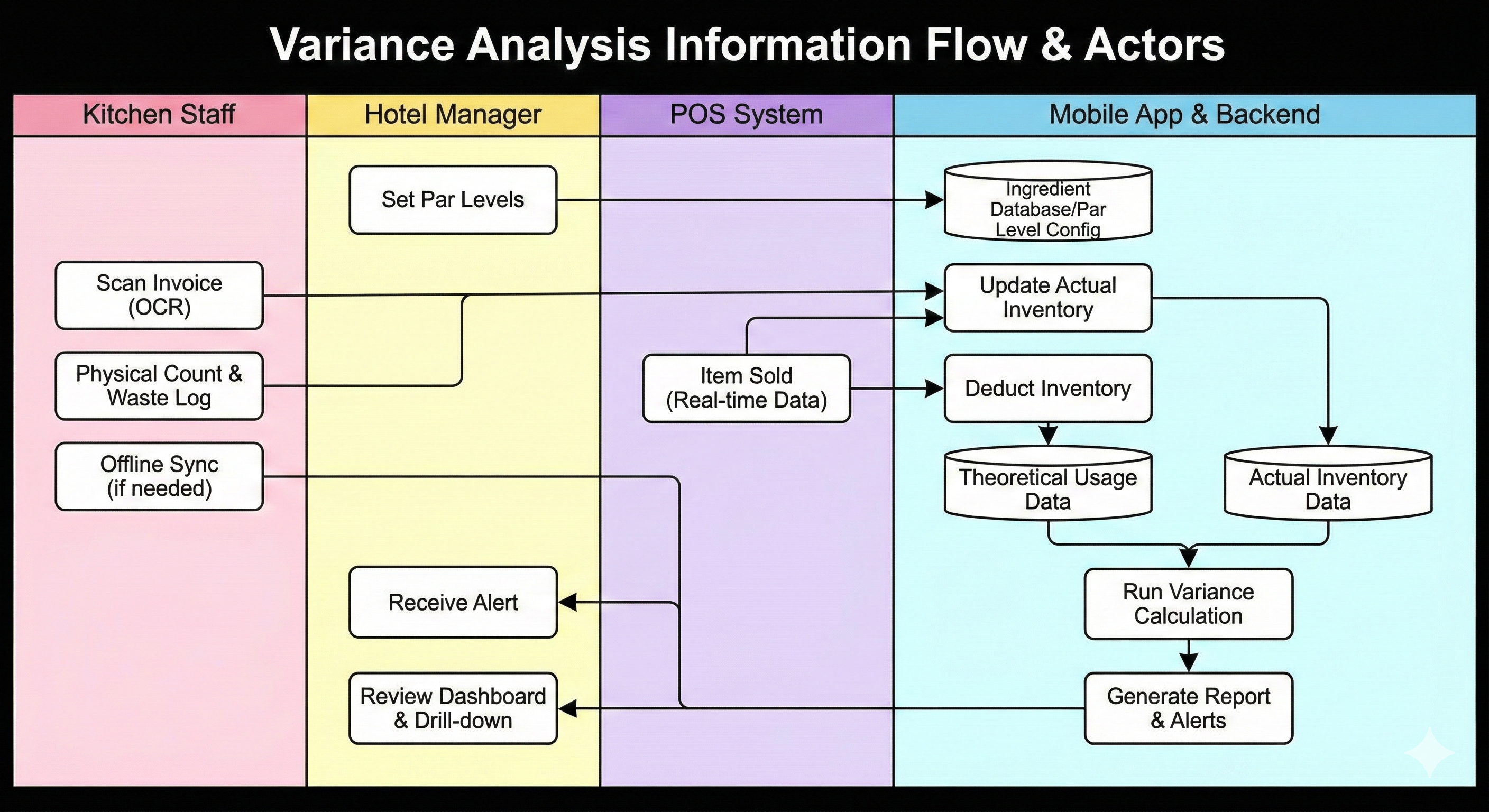
Human Actors
1
Kitchen Staff / Inventory Clerks
Role: Data Capture & Physical Operations
- Capturing "Actual In-Flow" by taking photos of paper invoices using the mobile app (Phase 2).
- Performing physical inventory counts using barcode scanning, including in offline modes like freezers (Phase 3).
- Logging discarded items into the "Waste Log" and assigning mandatory reason codes (Phase 3).
2
Hotel Manager / User
Role: Configuration, Oversight & Decision Making
- Setting "Par Levels" (min/max stock thresholds) to establish safety stock baselines (Phase 1).
- Receiving and acting on push notifications when variance exceeds pre-set percentages (Phase 4).
- Investigating potential theft or over-portioning based on alerts (Phase 4).
- Using the dashboard to "drill down" into high-variance items to identify specific shifts or days where discrepancies occurred (Phase 5).
System Actors
Point of Sale (POS) System
Role: Data Source for "Theoretical" Usage
- Providing real-time sales data via open APIs.
- Triggering the deduction of inventory (theoretical usage) the moment an item is sold (Phase 2).
Mobile Application & Backend
Role: Processing, Synchronization & Calculation
- Acting as the "Single Source of Truth" for ingredients and recipes (Phase 1).
- Running the Variance Calculation Algorithm (Phase 4).
- Syncing data captured offline once connectivity is restored (Phase 3).
- Performing OCR on invoices to extract line-item data (Phase 2).
Summary of Interaction
The POS System and Kitchen Staff feed data (Sales vs. Counts/Waste) into the Application/Backend. The Application processes this to calculate the variance and then alerts the Manager, who acts on the intelligence.